Getting started
SPOT is the dashboard you use to turn your company documents into a verified business report. This page covers everything before your first report: creating an account, verifying your email, signing in, switching between English and Bahasa Malaysia, and what a referral link changes.
Before you start
- A company email address you can open (verification mail is sent there).
- Your company name exactly as it appears on your SSM certificate. You type it now, and SPOT checks it against your SSM document during onboarding.
- A password of at least 8 characters.
Create your account
Open the registration page
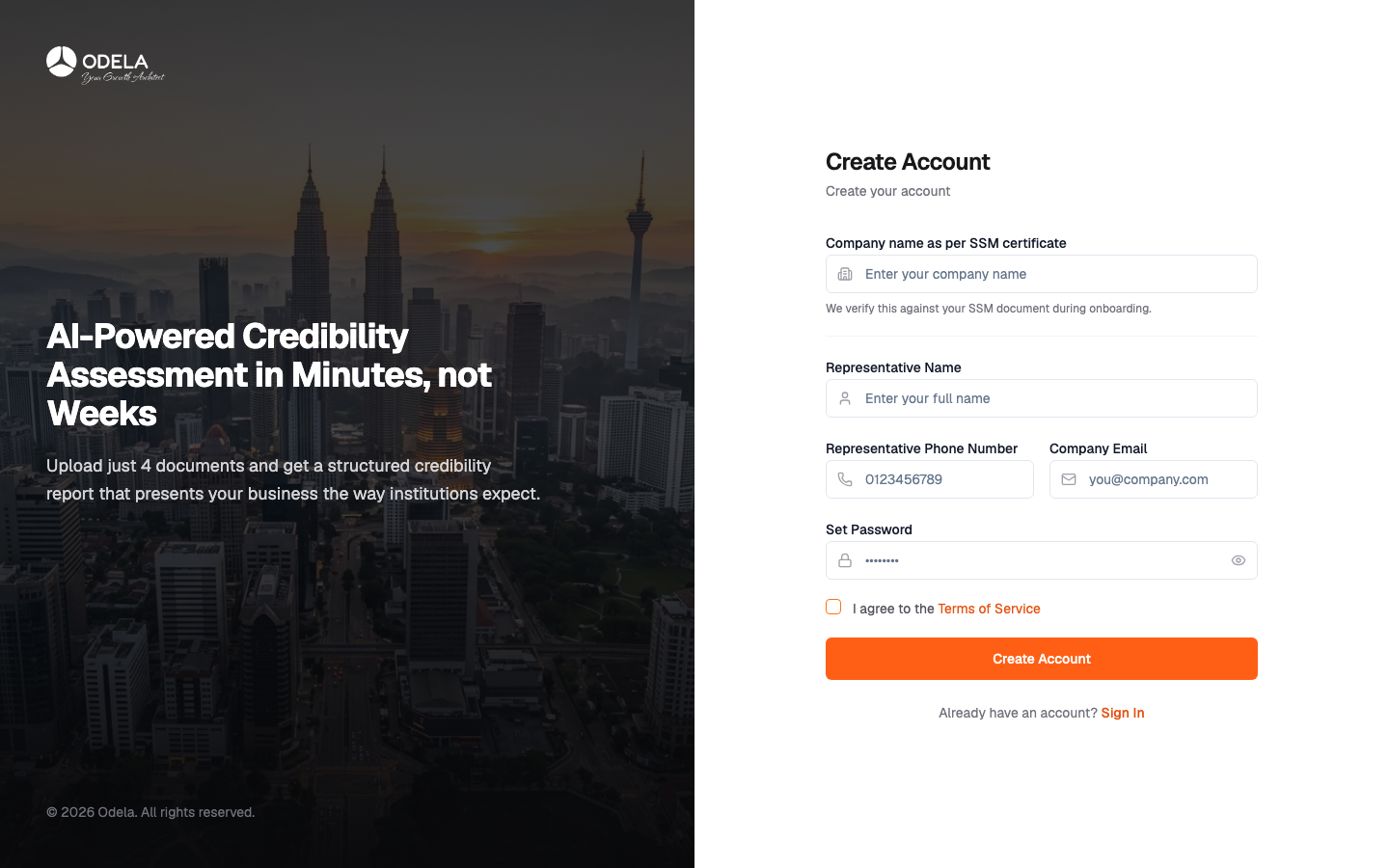
Choose Sign Up on the sign-in screen. The form asks for:
- Company name as per SSM certificate — a hint repeats the advice: the name is verified against your SSM document during onboarding, so spelling matters more than how you usually style it.
- Representative Name and Representative Phone Number — the person SPOT should associate with the company.
- Company Email.
- Set Password — at least 8 characters.
Agree to the terms and create the account
Tick I agree to the Terms of Service, then choose Create Account. If the email address is already registered, the screen tells you an account already exists and suggests signing in instead.
Verify your email
After registering you land on a Check your email page. Open the verification link in the mail you received, and sign in once it is confirmed.
If nothing arrives, check the spam folder. If the link has expired or has already been used, the verification screen says so and offers Request New Verification Link to send a fresh one.
Sign in
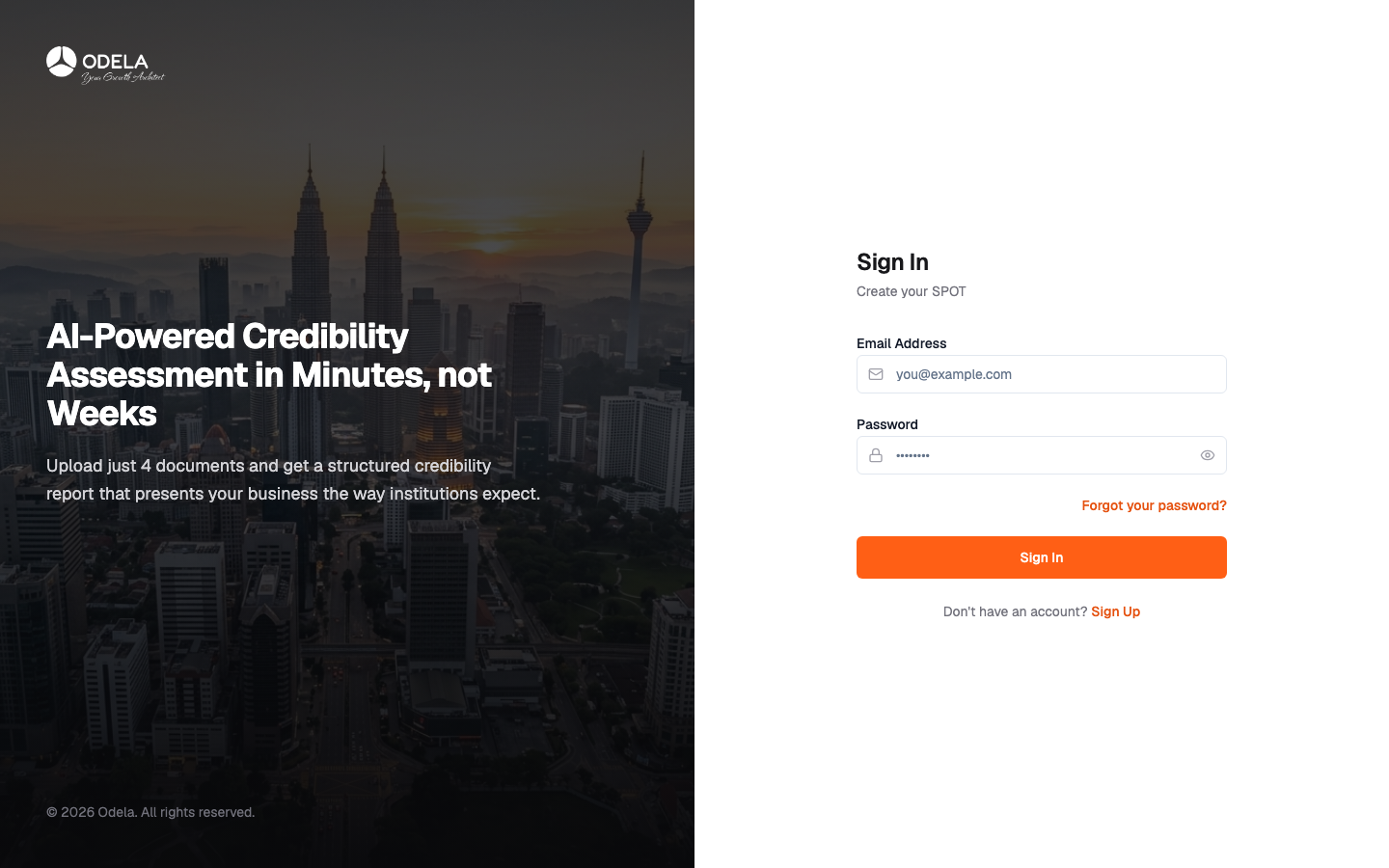
Enter your Email Address and Password, then choose Sign In. New companies continue straight into onboarding, which starts with verifying your SSM certificate.
Choose your language
The sign-in, register and password pages have a language switcher in the top-right corner, and the header has one once you are signed in: EN English and BM Bahasa Malaysia. Your choice is remembered in the browser and kept when you reload the page. SPOT shows dates, figures and labels in that language. The first switch to Bahasa Malaysia loads the translation, which can take a moment.
The written assessment in a report is generated in English only for now; the page says so in Bahasa Malaysia. A few interface strings are also still English only.
Using a referral link
Institutions invite companies with a link ending in a referral code. Opening the register or sign-in page through such a link changes two things:
- A banner shows Referral Registration with the code you followed.
- The picture panel takes the institution’s name, logo, colours and welcome text, with “Powered by Odela” at the bottom.
Registering through the link connects your company to that institution once your account exists. You can also connect institutions later from your profile; see Institutions and appointments.
What happens next
Your next step is onboarding: SPOT verifies your company from your SSM certificate, then collects the financing documents that decide which report you get. Companies registered as a sole proprietorship or partnership follow the Micro SPOT path; companies with a Sdn Bhd profile follow the Full SPOT path.