Reading SPOT reports
SPOT reports come in two kinds: Full SPOT (sections A to E) and the lighter Micro SPOT for micro businesses. As an Institutional Subscriber you get a single list of every report across all companies linked to your institution, and a viewer that shows the report beside the evidence it was built from. The report kinds and their contents are described in Report types.
The report list
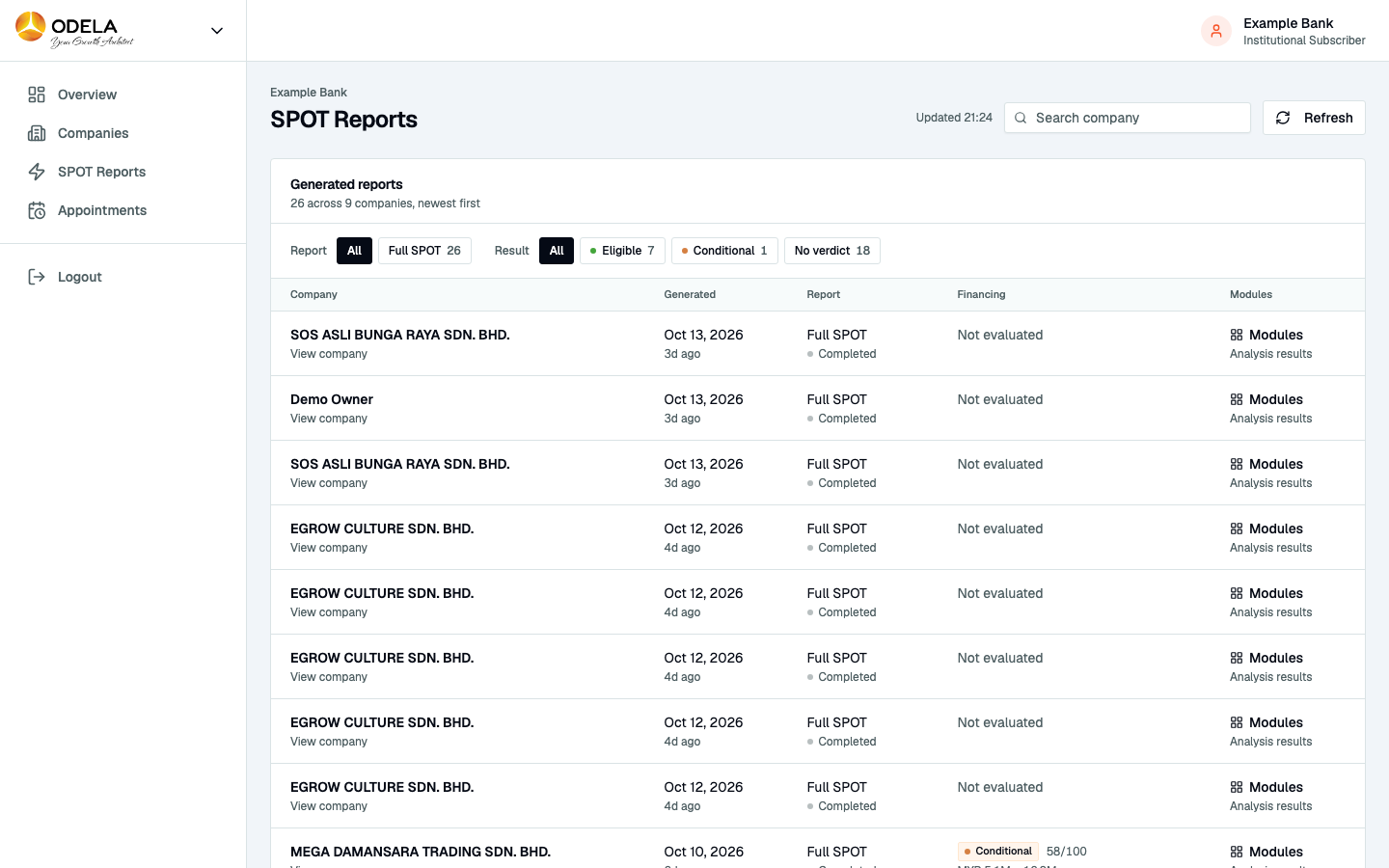
The SPOT Reports page lists Full SPOT and Micro SPOT reports together, newest first, with one row per report:
| Column | What it tells you |
|---|---|
| Company | Name, linking straight to the report viewer |
| Generated | Date, with a relative-time line |
| Report | Full SPOT or Micro SPOT, with a status dot |
| Financing | The eligibility verdict with its indicative range |
| Modules | Link to the analysis modules (Full SPOT only; Micro SPOT rows read “Not available · Full SPOT only”) |
Filter by Report type and Result (Eligible, Conditional, Not eligible, No verdict); a Status filter appears only while some report is still generating. Search finds the company; the list shows 20 reports per page.
The report viewer
Opening a report shows it as a document on the left, laid out section by section — for a Full SPOT: Section A Enterprise & Financial Profile, Section B Strategic Capabilities & Market Position, Section C Statement of Capabilities, Section D Ownership & Management Structure, and Section E Regulatory, Compliance & Credit Integrity.
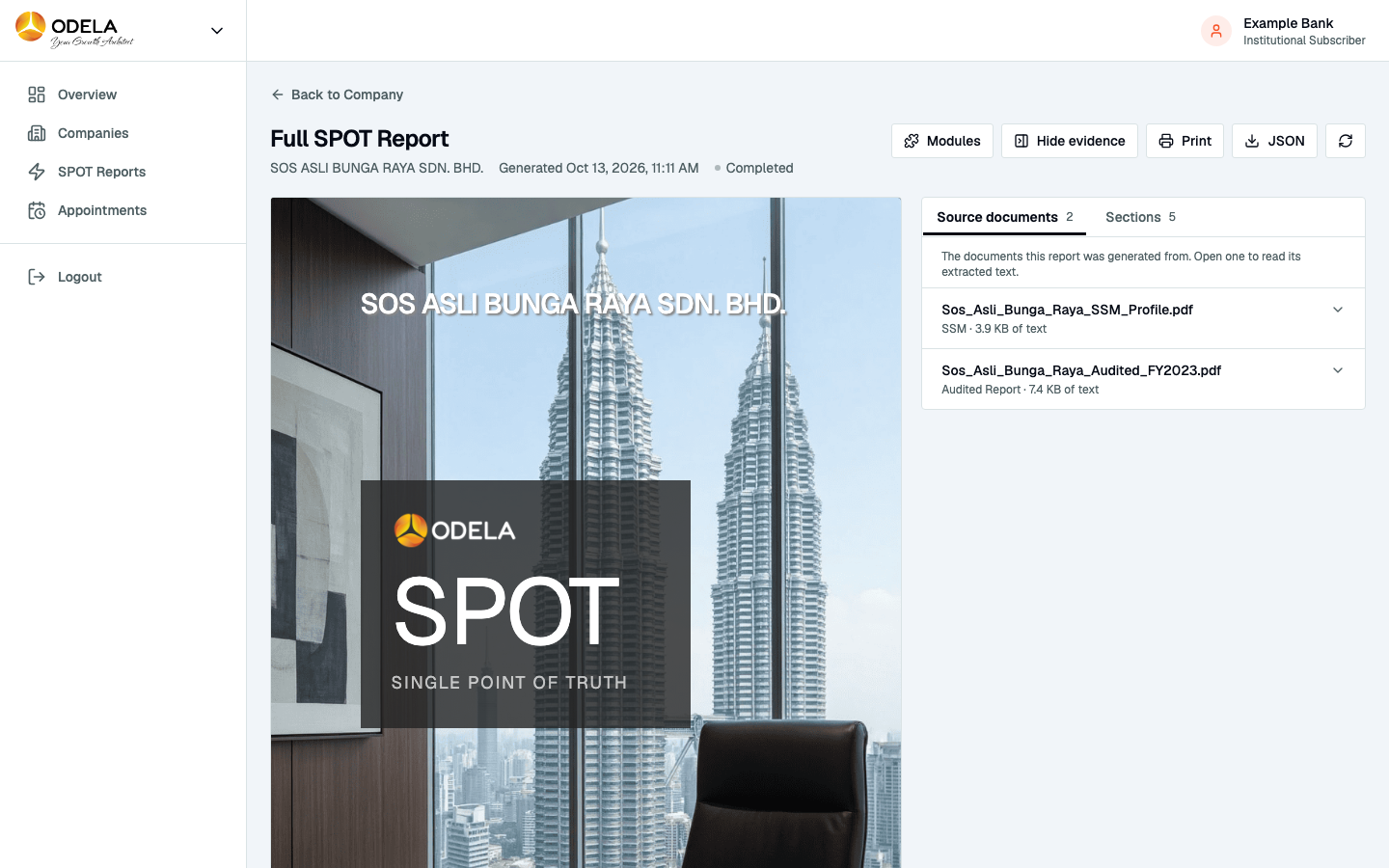
Actions in the viewer:
- Print — print the report or save it as a PDF from your browser.
- Download JSON — take the raw report data for your own systems.
- A server-rendered PDF download is available to the Odela team only; use Print as a partner.
Selecting Back returns you to the company the report belongs to.
The evidence panel
The panel on the right lists the source documents behind the report. For a Full SPOT it also exposes the section data — the structured facts each section was written from — so a figure on the page can be traced back to what was extracted, and from which document. Where SPOT had no data, the report says so instead of inventing a number; that abstention is explained in Evidence and abstention.
What happens next
- Open the modules behind the financing verdict: Analysis modules.
- A report is a snapshot of the documents uploaded when it was generated; new documents call for a fresh generation by the Odela team.