Handling appointment requests
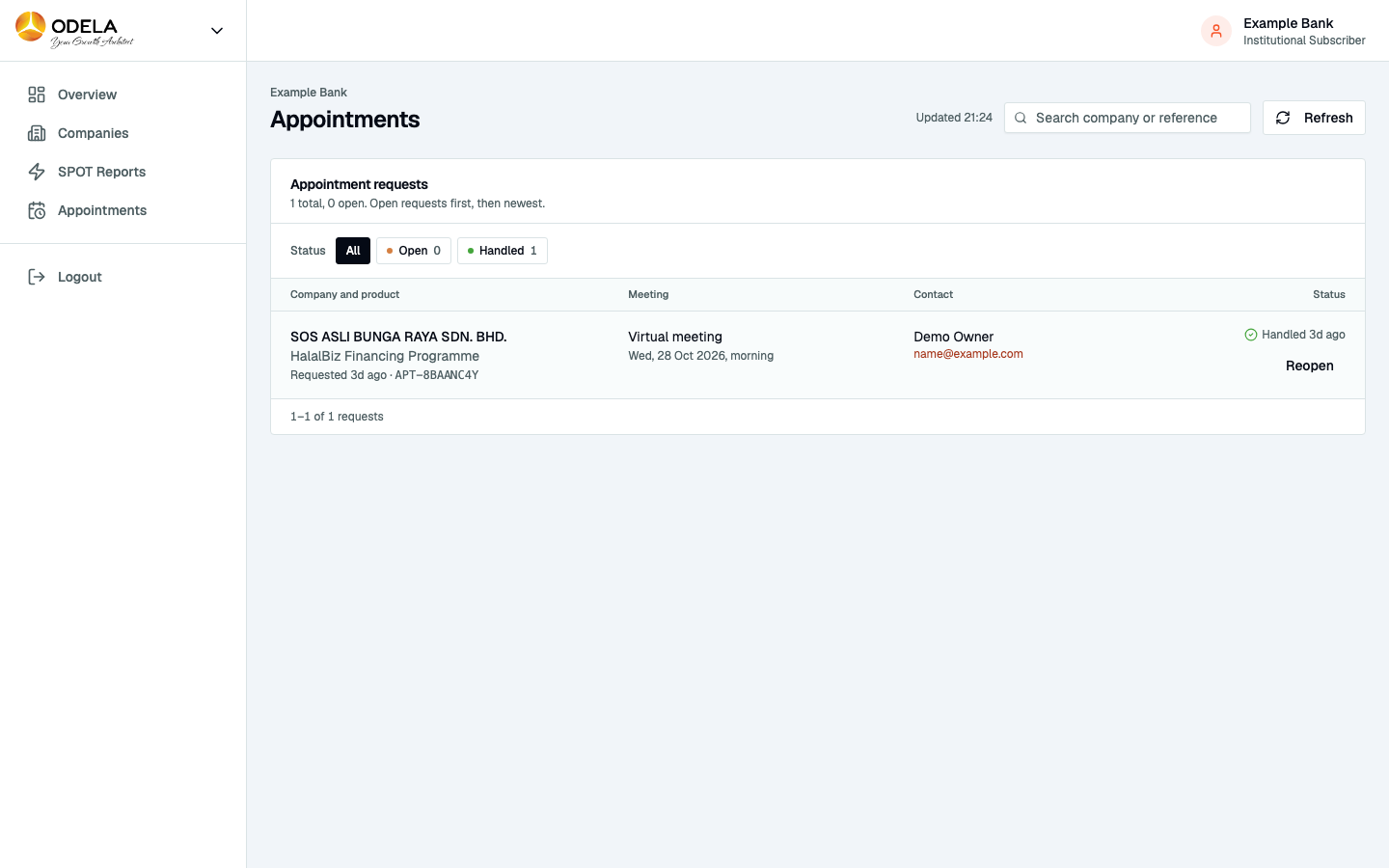
When an SME reviews its financing matches and wants to talk to your institution, it books an appointment request from the matched product in its own SPOT dashboard. The request lands in your Appointments page — one list for your whole institution, and per company on the company’s Overview tab.
What a request contains
Each request carries everything needed to prepare for the meeting:
- a reference code for quoting in correspondence;
- the product the SME was matched to;
- the format — at a branch (with the branch named where given) or a virtual meeting;
- the preferred slots, each a date with a morning or afternoon preference;
- optional notes from the SME;
- the requester — the person who sent it, with name and email.
Work the list
The list shows open requests first, then the newest. Filter by Status — Open or Handled — and search by company name or reference.
| Status | Meaning |
|---|---|
| Open | The request is waiting for your institution to act |
| Handled | Your institution has picked it up or completed it |
Each request has one action, which flips its state: Mark as handled on an open request, or Reopen on a handled one. Use it as your institution’s queue — mark a request handled once contacted, reopen it if the conversation restarts.
A request arriving is not announced by email or notification — it appears in this list only. Check the page as part of your routine, or watch the appointment requests panel on a company’s page, which counts its open requests.
Who sees what
- Institutional Subscribers see requests addressed to their own institution and can mark them handled or reopen them.
- The Odela team sees every institution’s requests read-only, with an Institution filter — useful when an SME asks the Odela team where its request stands.
What happens next
- Prepare with the company’s SPOT report and analysis modules before the meeting.
- Record the outcome in your CRM and link the record on the case.