Your account
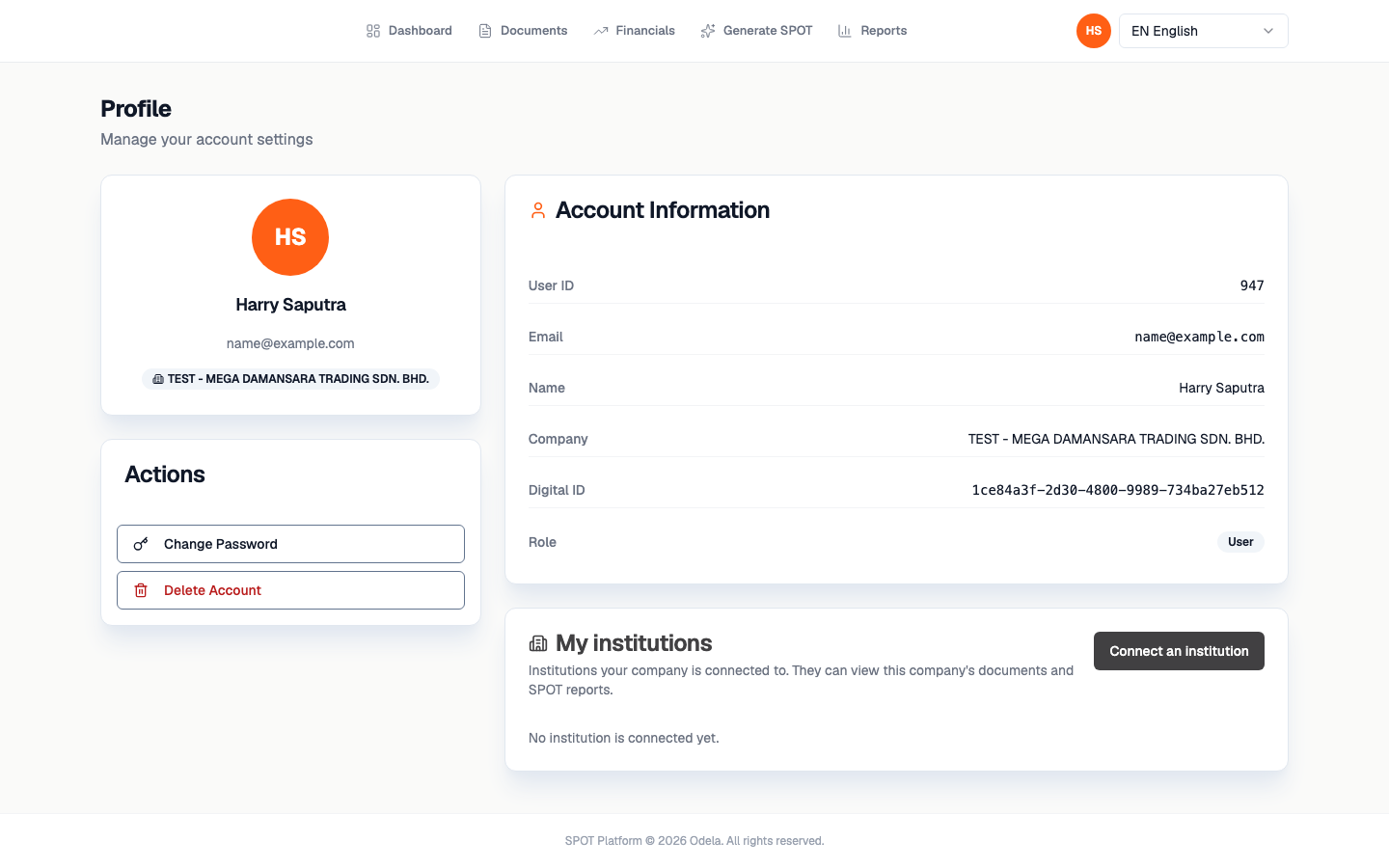
The Profile page, under your avatar in the header, holds your account details, your company’s connected institutions, and the account actions.
What the Profile page shows
Account Information lists your user ID, email, name, company, role and digital ID. These come from your account and your company’s verified identity; they are read-only here.
Below that, My institutions lists every institution your company is connected to, with the link date and how the link was made, and a Connect an institution link. See Institutions and appointments for what a connection shares.
Change your password
On the Profile page, choose Change Password. A dialog asks for three things:
- your current password;
- a new password of at least 8 characters, different from the current one;
- the new password again, to confirm it.
Choose Change Password in the dialog. SPOT shows “Password changed successfully” only after the change has gone through; if your current password is wrong or the new one is rejected, the dialog shows the reason and nothing changes.
If you cannot sign in, use the sign-in page instead:
- Open the sign-in page and choose Forgot your password?, then enter your Email Address.
- Choose Send Reset Link. The screen confirms that a password reset link was sent; check the spam folder if it does not arrive.
- Open the link from the email and set a New Password of at least 8 characters, entered twice.
- Choose Reset Password, then Go to Login and sign in with the new password.
Reset links can expire; the screen tells you when one has and offers to request a new one.
Ask for your account to be deleted
You cannot delete your account yourself yet. Request Account Deletion on the Profile page opens a dialog that explains this and offers Email deletion request, which opens an email to Odela support with your email address and company name already filled in.
- Nothing is deleted when you send the request. Your account stays active until the Odela team reviews the request and confirms by email.
- When a request is approved, your account and the documents you uploaded are deleted. Records that must be kept by law, such as audit logs, are retained for up to 7 years.
Company details SPOT keeps about you
Beyond your documents, SPOT keeps a small set of company details that some financing programmes ask about and that no document proves — for example ownership category. Where these matter, they are treated as your declaration: recorded as self-declared, never presented as document-verified, and shown to institutions only as such. There is currently no screen in the app to view or edit these declarations.
Signing out and session expiry
Sign out, in the avatar menu, ends the session on the device. A session also ends when its sign-in token expires; when that happens while you are using the app, the next action returns you to the sign-in page to sign in again. Unsaved work in an open form is the only thing at risk — reports and documents already saved are not.
What happens next
Keep your company email current, since verification and password reset mail goes there. If something behaves differently from this guide, check Troubleshooting.