Tracking cases
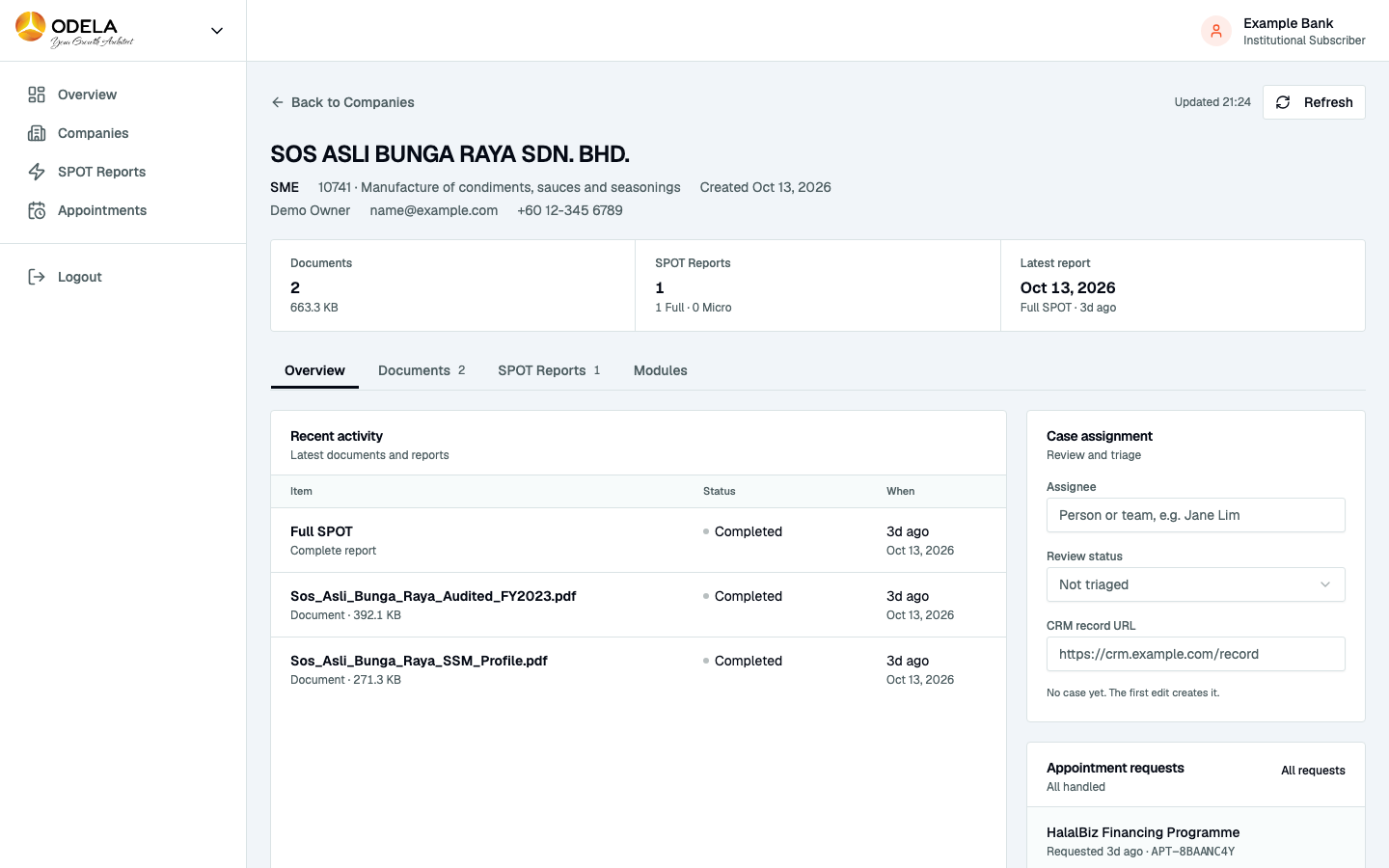
When a manager asks “who is handling this SME, and where does it stand?”, the answer lives in the case. SPOT keeps the answer deliberately small — who owns the case, what review stage it is at, and where the CRM record lives — and splits “where it stands” into two tracks with different owners: what the system knows, and what your team decides.
Track 1 — onboarding readiness, derived by SPOT
Track 1 shows how far each SME has come in onboarding. It is derived from system state every time you look at it — it is not stored anywhere and nobody sets it by hand. An SME sits in exactly one stage, the deepest it has reached:
| Stage | Reached when |
|---|---|
| Referred | A referral exists, the company has not registered yet |
| Registered | The company exists but has not uploaded documents |
| Docs Pending | Documents are uploaded but the set is not yet enough for a report |
| Docs In Review | Some documents are still processing |
| Docs Verified | The entry document set is complete and nothing is still processing, but no report has been generated yet |
| SPOT Generated | At least one completed SPOT report exists |
Treat Track 1 as a readiness funnel, not a workflow: it answers “what is missing before this SME can be reviewed?”, and it moves only when the underlying documents and reports move.
Track 2 — review and triage, set by your team
Track 2 is the review status your institution owns. It applies once an SME has a SPOT report; before that, the company reads as Not triaged.
The statuses are: New (the starting status), In Review, Awaiting Info, Discussion, Approved, Rejected and On Hold. You can move to any status at any time — the list models a review flow but does not police the order. Setting the same status again changes nothing.
Where you set it:
- the Case assignment card on the company’s Overview tab;
- the inline Case column in the Companies list;
- portfolio-wide counts and shortcuts in the Overview pipeline.
The assignee
The assignee is a free-text label — a person (“Jane Lim”) or a team (“SME Desk A”). The input suggests labels your institution has used before, and a new label is created the moment you use it; there is no directory to maintain. An empty assignee means the case is unassigned, and the Overview’s “Assign an owner” next step collects those.
Ownership is independent of status: a case can be Awaiting Info with no owner, which is why unassigned cases get their own count rather than being folded into a status.
The CRM link
Each case can carry one external link — the URL of the record for this SME in your customer-relationship-management (CRM) system. The rule is plain URLs, both directions:
- the case links out to your CRM record, opening in a new tab;
- anything worth keeping — notes, contacts, pipeline — stays in your CRM, with the case URL pasted in so colleagues can jump back.
SPOT does not sync with your CRM, and case data never becomes CRM data. If the Odela team has issued you a shareable document link for the company, that URL belongs in the same CRM record.
Event history
Every change — case created, assignee set, status changed, CRM link updated — is recorded with who made it and when. The portal today shows the current status on each surface; the recorded history is kept for audit rather than displayed as a list.